Select your trip, type your departure and arrival cities, enter your travel dates and number of passengers.
Compare available airfares, sorted by cheapest price and departure time. Click 'Select" to continue
Optional features include:
a) Search different days by using arrow tabs
b) Use filters on the left
c) Click on flight price for more flight information
Check and confirm your details, scroll down and select optional extras if required. Enter your email address and click 'Book Now' at the bottom of the page to continue
Optional extras include:
a) Hotels
b) Cars
c) Travel Insurance
Add passenger information for all travellers in the space provided directly under your summary
Complete payment with your preferred method, accept terms and conditions, and click ‘Pay Now’ to finalise your booking
A confirmation page will appear to confirm your booking was successful. You will also be sent a confirmation email within 24 hours which contains all your booking details and important travel information
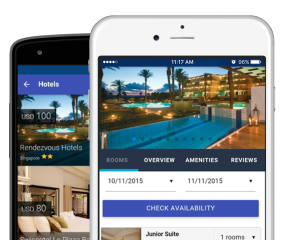
저희 앱에는 안전한 결제 수단, 간편한 4단계 예약 절차, 깔끔한 사용자 경험까지 예약에 필요한 모든 것이 담겨 있습니다. 더 바랄 것이 있을까요?



 AR
AR DE
DE EN
EN ES
ES FR
FR HI
HI IT
IT IW
IW JA
JA KM
KM MS
MS PH
PH PT
PT RU
RU TL
TL TR
TR UK
UK VI
VI ZH-CN
ZH-CN ZH-TW
ZH-TW